CIT

Patiala's Best & Trusted Graphics Designing Course

Our Graphic Design Course in Patiala teaches you three industry-standard tools, Adobe Photoshop, Adobe Illustrator, and CorelDRAW, along with modern AI-powered design tools and advanced techniques that set you apart from other designers.

We provide students with all-encompassing job placement assistance to help them achieve their jobs.

Our graphic design course in Patiala takes you step by step, from basic to advanced level, covering everything from fundamental design principles to advanced skills in vector design and image manipulation. Using AI tools and the latest design techniques, you will learn to create professional, eye-catching work faster and more creatively. Whether you are just starting out or want to sharpen your existing skills, this graphic design course in Patiala gives you the knowledge and confidence to succeed in the creative industry.

Adobe Photoshop

Using tools for image editing, retouching, and manipulation will be taught to you. Layer management, color correction, masking, filters, text effects, and digital art creation are among the subjects covered. Learn how to use Photoshop for creative projects, photography, and graphic design.

Adobe Illustrator

Creating vector-based images, such as icons, illustrations, and logos, will be taught to you. Working with forms, pathways, layers, typography, color theory, and sophisticated digital design tools are among the topics covered, guaranteeing competence in the production of print and graphic media.

CorelDRAW

You will acquire the ability to create vector images, logos, and graphics. Working with shapes, text, colors, layers, and sophisticated layout and print design tools are among the topics covered. Learn CorelDRAW to create digital artwork and professional graphic design.

AI in Graphic Design

Learn AI-powered design with AI image generation, prompt writing and smart AI design tools to create logos, posters and social media designs faster. Finish with a live branding project that adds AI-assisted work to your portfolio.

Mastery of Creative Software

Acquire the skills necessary to perform professional design work using industry-standard programs like Adobe Photoshop, Illustrator, and CorelDRAW.

Basic Design Principles

Develop a strong foundation in composition, color theory, typography, and visual narrative.

Practical Hands-On Learning

Use your abilities on practical design projects, such as creating digital artwork or logos.

Customized Learning Path

Depending on your objectives, customize your learning experience with modules ranging from basic to advanced.

Up-to-Date Techniques

Keep up with the newest methods, resources, and trends in digital media and graphic design.

Job Placement Assistance

Get individualized assistance in locating internships and design positions across a range of sectors.

Portfolio Development

To draw in clients or employers, create a polished portfolio that highlights your finest design work.

Individual Branding

Discover how to network, sell your abilities, and differentiate yourself in the cutthroat design field.

Freelancer Support

Learn how to find tasks, manage clients, and establish a freelance business.

Career Guidance

Throughout your career, take advantage of ongoing career guidance, resume workshops, and networking opportunities.

0

Years Experience

Rajiv Mehta: Your Graphic Design Mentor in Patiala

With over 25 years of experience in the creative and media industry, Rajiv Mehta is one of Patiala’s most dedicated graphic design mentors. He has designed logos, ads, and marketing materials for a wide range of brands, and he brings that real-world experience into every class. He has trained hundreds of students in Patiala, turning beginners into confident, job-ready graphic designers. Known for a practical, easy-to-follow teaching style, he focuses on live projects, real client work, and portfolio building. Thanks to this guidance, many students have secured jobs in design studios and agencies, started freelancing as graphic designers, or launched their own design businesses, giving him a strong placement record in the city.

Rajiv Mehta believes that great design is a mix of creativity, current trends, and a strong understanding of what the client needs. In his classes, students learn Adobe Photoshop, Illustrator, and InDesign, along with logo and brand identity design, typography, layout design, photo editing, vector artwork, and print and digital design. He also introduces AI design tools and the latest techniques, so students can work faster and create more professional, eye-catching results. His creative background gives students an edge in producing designs that impress clients and stand out in the market.

He also guides learners on how to find clients, build a strong portfolio of real projects, and grow as freelance graphic designers. His mentorship doesn’t stop at the classroom, as he continues to support students with career advice and placement assistance even after the course ends.

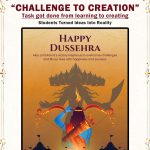
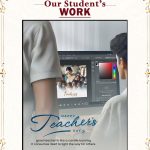
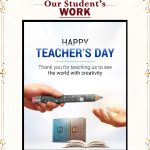
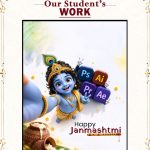
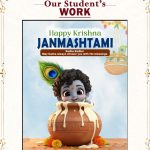
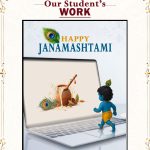
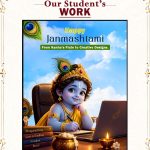
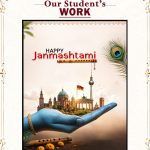
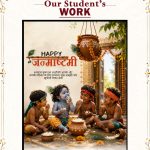
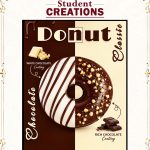
Designed by Our Students:
 Real Work from Our Graphic Design Student in Patiala

Frequently Asked Questions: Graphic Designing Course in Patiala

1. What is the duration of the graphic designing course in Patiala?
The course is 3 months long and takes you step by step from basic to advanced level.

2. What is the course fee?
The total fee is ₹15,000, and installment options are available. Contact CIT Patiala for details.

3. Do I need prior design experience to join?
No. The course is beginner-friendly. We start with design fundamentals and gradually move to advanced techniques.

4. Which software will I learn?
You will learn Adobe Photoshop, Adobe Illustrator and CorelDRAW, along with modern AI design tools.

5. Will I learn AI tools in this course?
Yes. You will learn AI image generation, prompt writing and smart AI design tools to create logos, posters and social media designs faster.

6. Is there a free demo class?
Yes. You can attend a free 5-day class before you enroll.

7. Will I work on real projects?
Yes. The course focuses on live projects and real client-style work, so you gain practical experience instead of only theory.

8. Will I build a portfolio?
Yes. By the end of the course, you will have a portfolio of logos, posters, brand designs and marketing materials to show employers and clients.

9. Is placement support provided?
Yes. We offer career guidance, portfolio review, interview preparation and job placement assistance. Many students have secured jobs in design studios and agencies.

10. Can I start freelancing after the course?
Yes. We guide you on finding clients, pricing your work and building a freelance career.

11. Will I get a certificate?
Yes. You will receive a course completion certificate.

12. Who can join this course?
Students, job seekers, working professionals, creative hobbyists and business owners can join. There are no age or educational restrictions.

13. Do I need my own laptop?
A laptop is helpful for practice at home, but you can also practice at our institute during class hours. Please confirm your preferred option at the time of admission.

14. Are flexible batch timings available?
Yes. We offer multiple batches for students and working professionals. Contact us to find one that fits your schedule.

15. Will I get support after the course ends?
Yes. Our mentor continues to provide career advice and placement assistance even after the course is complete.

16. How can I enroll?
Call us, message us on WhatsApp, or visit CIT Patiala at SCO 46, 2nd Floor, Leela Bhawan, Patiala to book your seat. Seats are limited in each batch.

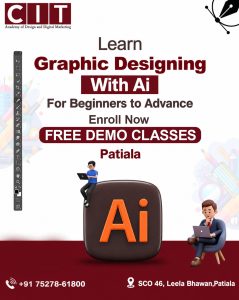
Book a Free Demo Class for Our Graphic Designing Course in Patiala

Not sure if this course is right for you? Come and experience it yourself, with no fee and no pressure. Meet your trainer and see our practical, step-by-step teaching method. Get answers on fees, batch timings, certificate and internship support.